Our work · Case study
Squizz
Simple, low-cost digital signage for small businesses. Owners upload media, build a playlist and schedule it from the web, and every screen running the Squizz app picks up the change on its own. We have designed, built and run it since 2012.
- Since 2012built, run and kept current by us
- Theaters to clinicsplus hotels and dealerships
- Real timeplaylist changes pushed to every screen
- Any uploadprocessed in the cloud to play on any screen
The problem
Squizz grew out of years on the ground in the places it now serves. Venues and small businesses had screens in their lobbies and showrooms and nothing good to put on them. Enterprise signage meant dedicated hardware, a contract and a salesperson. The do-it-yourself alternative was a TV, a USB stick and whoever remembered to update it.
What they wanted was simple: tonight's show, this week's specials, the donor wall, the new arrivals, on every screen, changed from a laptop or a phone by someone with no technical help on hand. And it had to cost what a small business could justify.
What we built
A web service for the people running the business, and a player app for the screens, with as little in between as possible.
- UploadImages, video and slides go up from the browser. Video is processed in the cloud, so a phone clip and a designer's export both play the same on every screen.
- Build a playlistArrange media into playlists, set how long each item holds, and keep different playlists for different screens or rooms.
- Schedule itSay when a playlist runs: the pre-show loop, the weekday specials, the weekend hours. It changes over on its own.
- Screens followAny screen running the Squizz app picks up a change the moment it's saved, with no one walking over to it.
Thirteen years of screens nobody looks after
A signage screen lives in a lobby, high on a wall, far from anyone technical. The product's real job is to keep working there, year after year, through whatever changes around it.
- 1Changes travel to screens over a live connection, so a playlist edit shows up in seconds rather than on the next refresh.
- 2Every upload is transcoded in the cloud into formats the players handle well, so the screen never has to cope with a surprise file.
- 3The player is a small app for ordinary screens and devices, not special hardware, so a venue can add a screen for the cost of the screen.
- 4Billing, accounts and media storage have all been rebuilt along the way as the platforms underneath them changed, without customers having to notice.
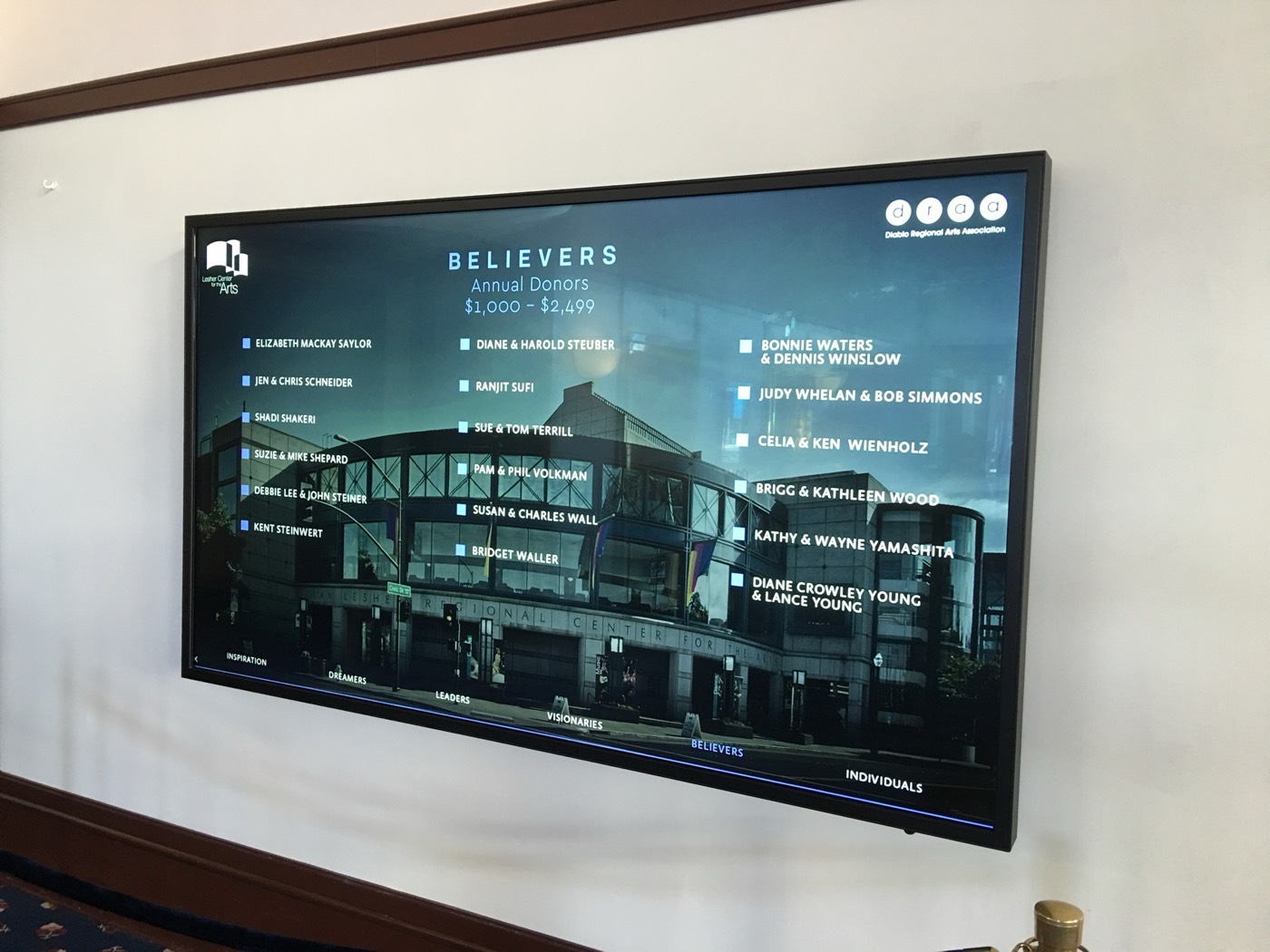
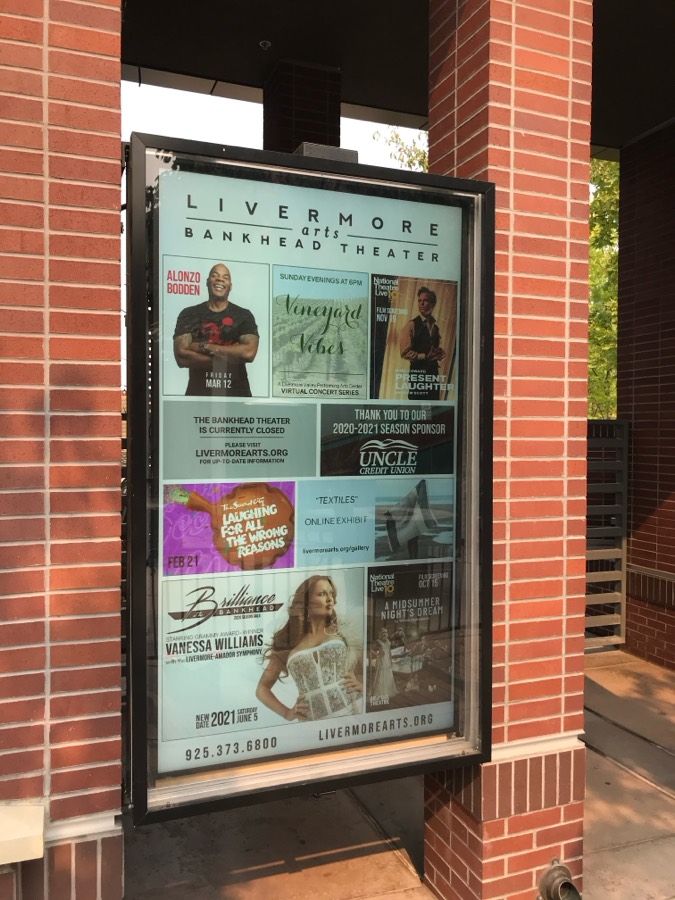
The payoff is customers who have stayed for years: performing-arts venues like the Lesher Center for the Arts and the Bankhead Theater, along with hotels, car dealerships and clinics.
Under the hood
Live updates with Socket.io
Screens hold an open connection to the service. Save a playlist and the players that use it are told at once, then fetch exactly what changed.
Cloud video processing on AWS
Uploads are stored and transcoded in AWS, so a 4K export, a vertical phone clip and an old codec all end up as files every player can decode.
A player for ordinary devices
The Squizz app runs on everyday screens and set-top devices, built with React Native, with the management side in Vue on the web.
Priced for small business
Subscriptions through Stripe, sized for a venue with two screens as readily as a dealership with twenty, with no hardware contract.
Have a product like this in mind?
We take ideas from first sketch to a live, paying product, then keep it running. For more than a decade, if that's what it takes.